Add Knowledge
Ingestion turns source material into project memory: Markdown pages, source pages, search indexes, and graph connections.
Use the web Ingest screen first. It gives you the clearest feedback while you are learning what sources produce useful memory. Use the API later for repeatable scripts.
Good Sources
- architecture docs
- runbooks
- ADRs and decision logs
- README files
- support playbooks
- product specs
- focused docs URLs
- GitHub or GitLab repos with Markdown or docs files
Add From The UI
- Open your project.
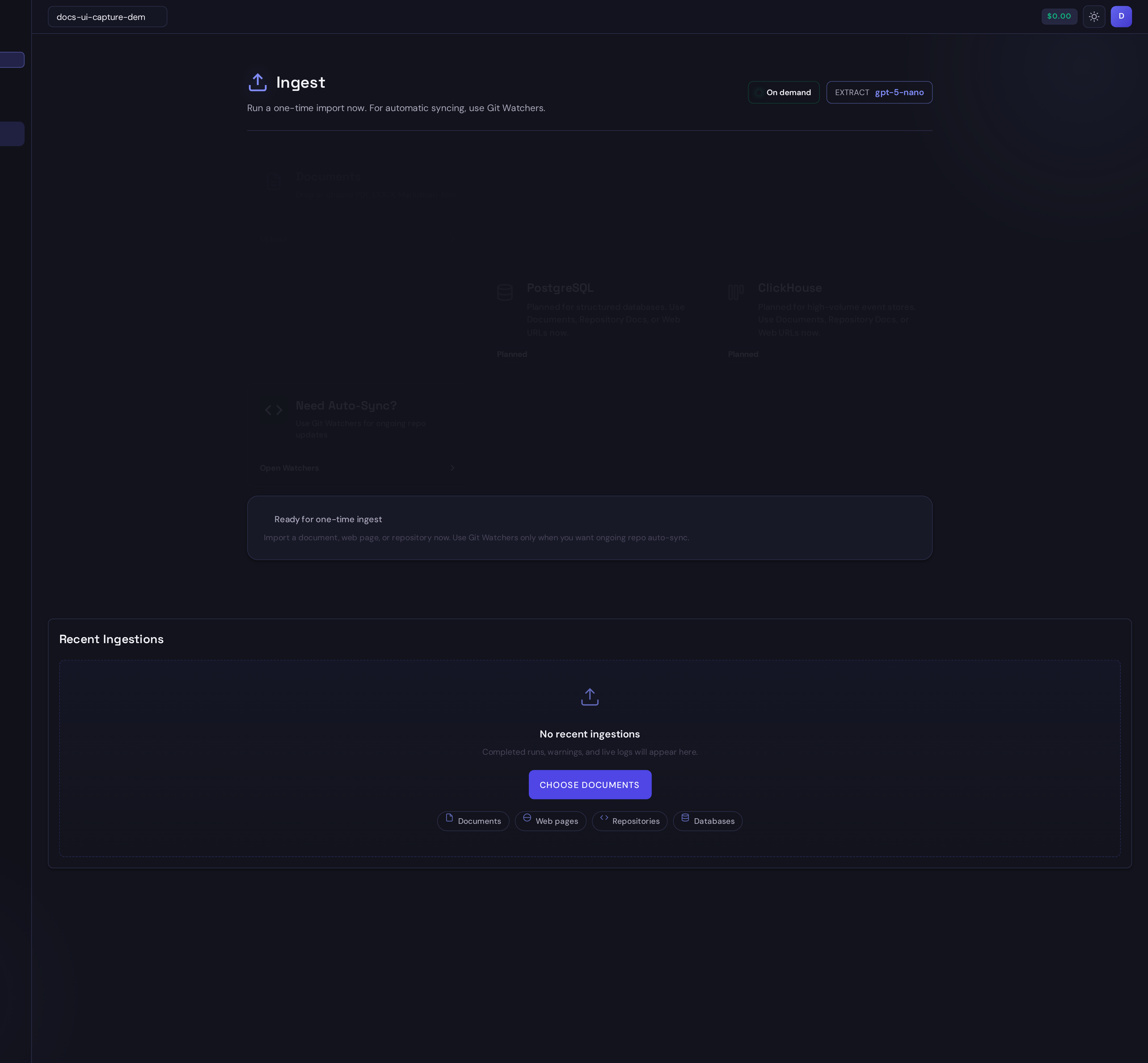
- Select Ingest from the app navigation.
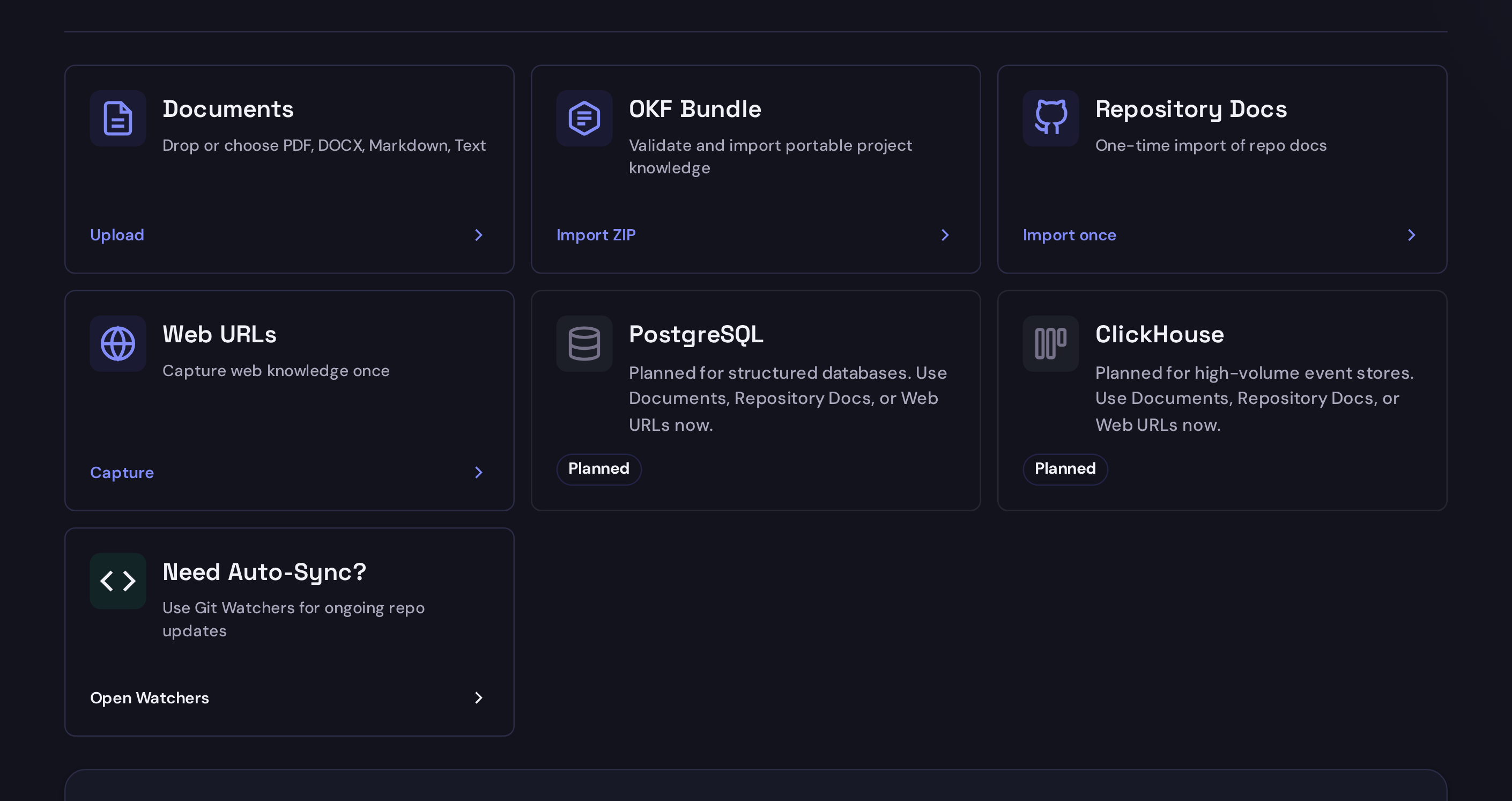
- Choose Documents, Repository Docs, Web URLs, or OKF Bundle.
- Fill in the source details.
- Start the ingest and watch the progress panel until Synth reports the created pages.
Documents
Use Documents for a one-time upload of Markdown, text, PDF, or DOCX material.
Repository Docs
Use Repository Docs for a one-time snapshot of a repository. This is good for an initial read of a docs repo or project README set.
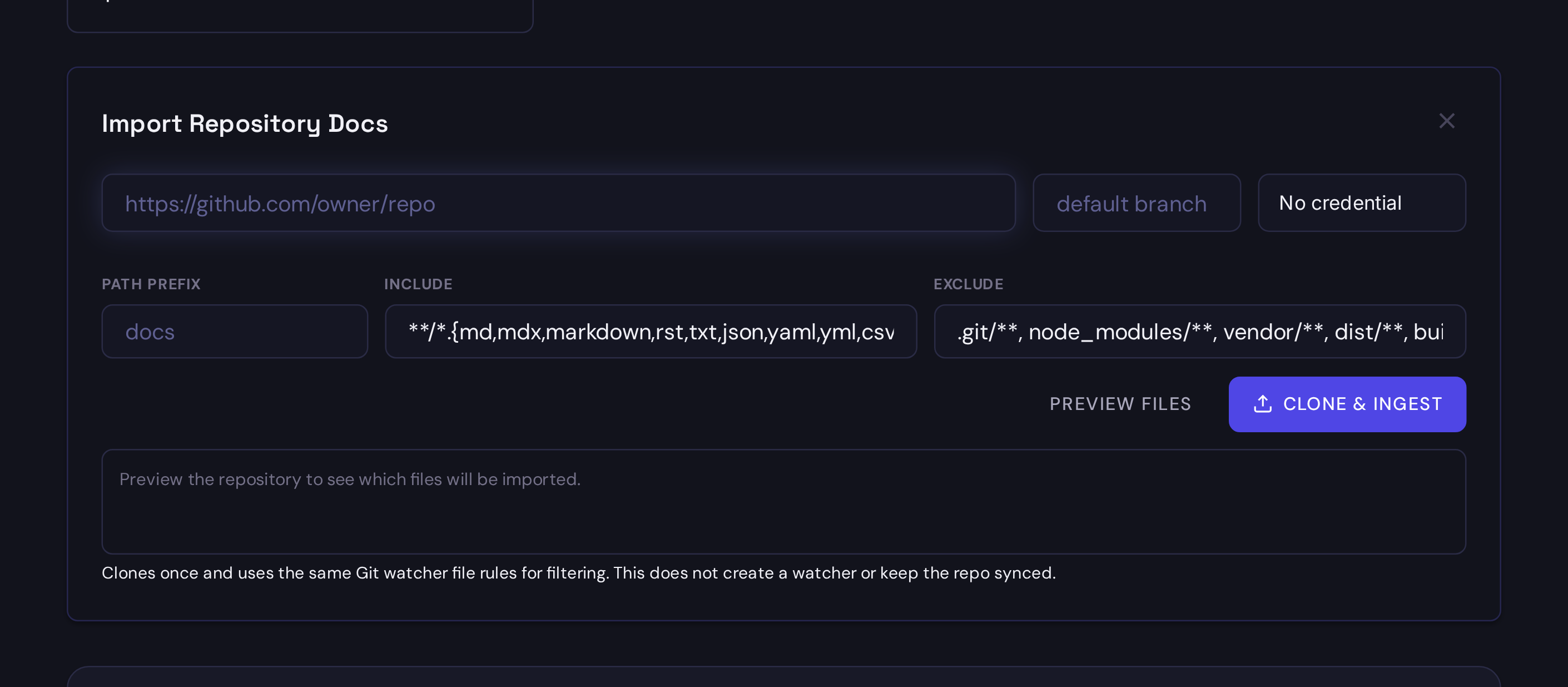
GitHub.com and GitLab.com HTTPS and SSH URLs are allowed by default. Other Git
hosts require the operator to set SYNTH_ALLOW_ARBITRARY_GIT_URLS=1 and restart
the affected service or pod. Generic HTTPS clone URLs must end in .git. For a
private self-hosted GitLab or GitHub repository, use its HTTPS clone URL with
the matching GitLab or GitHub PAT credential, or use SSH with an SSH-key
credential. PATs authenticate clone operations only. This single-repository
generic Git path does not enable groups, provider discovery, or API-backed
reconciliation; full self-managed provider support has no runtime allowlist
bypass.
With the Synth Helm chart, top-level extraEnv is shared by the web and
ingestion-worker containers, so one value enables both URL validation and the
actual worker clone:
extraEnv:
  - name: SYNTH_ALLOW_ARBITRARY_GIT_URLS
    value: "1"
SYNTH_ALLOW_ARBITRARY_GIT_URLS is intentionally opt-in because the clone is
performed from the Synth server and may reach private network destinations that
the user cannot reach directly. Enable it only when watcher managers are trusted
to choose repository hosts and deployment network policy constrains unintended
destinations. PAT authentication is scoped to the repository URL's exact HTTPS
origin, and authenticated redirects are disabled.
Web URLs
Use Web URLs for a focused docs page, a few related pages, or a docs section. Start with one or two pages before crawling a large site.
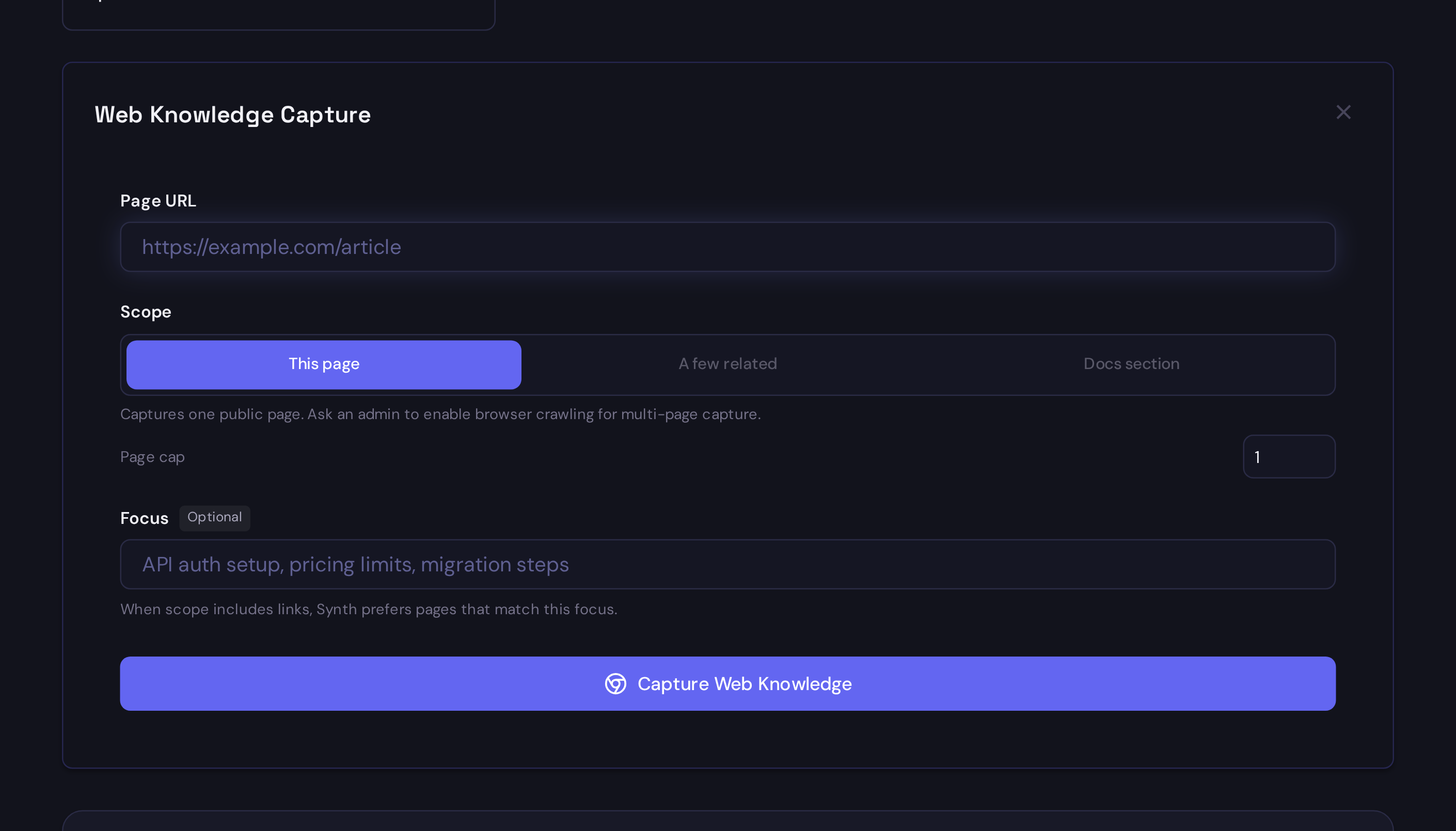
URL ingestion blocks private and local network targets by default. Browser-style crawling is opt-in with SYNTH_ENABLE_BROWSER_URL_INGEST=1.
OKF Bundle
Use OKF Bundle when another tool or Synth project gives you a Google Open Knowledge Format v0.1 ZIP. Synth stores project knowledge in an OKF-native Markdown layout, so OKF bundles move cleanly between Synth and other agent tools.
The OKF import panel validates the bundle and shows a preview before any files are written. After apply, use the result actions to open KB or Graph and verify the imported pages.
See OKF-Native Knowledge Bundles for UI and API examples.
Progress And Results
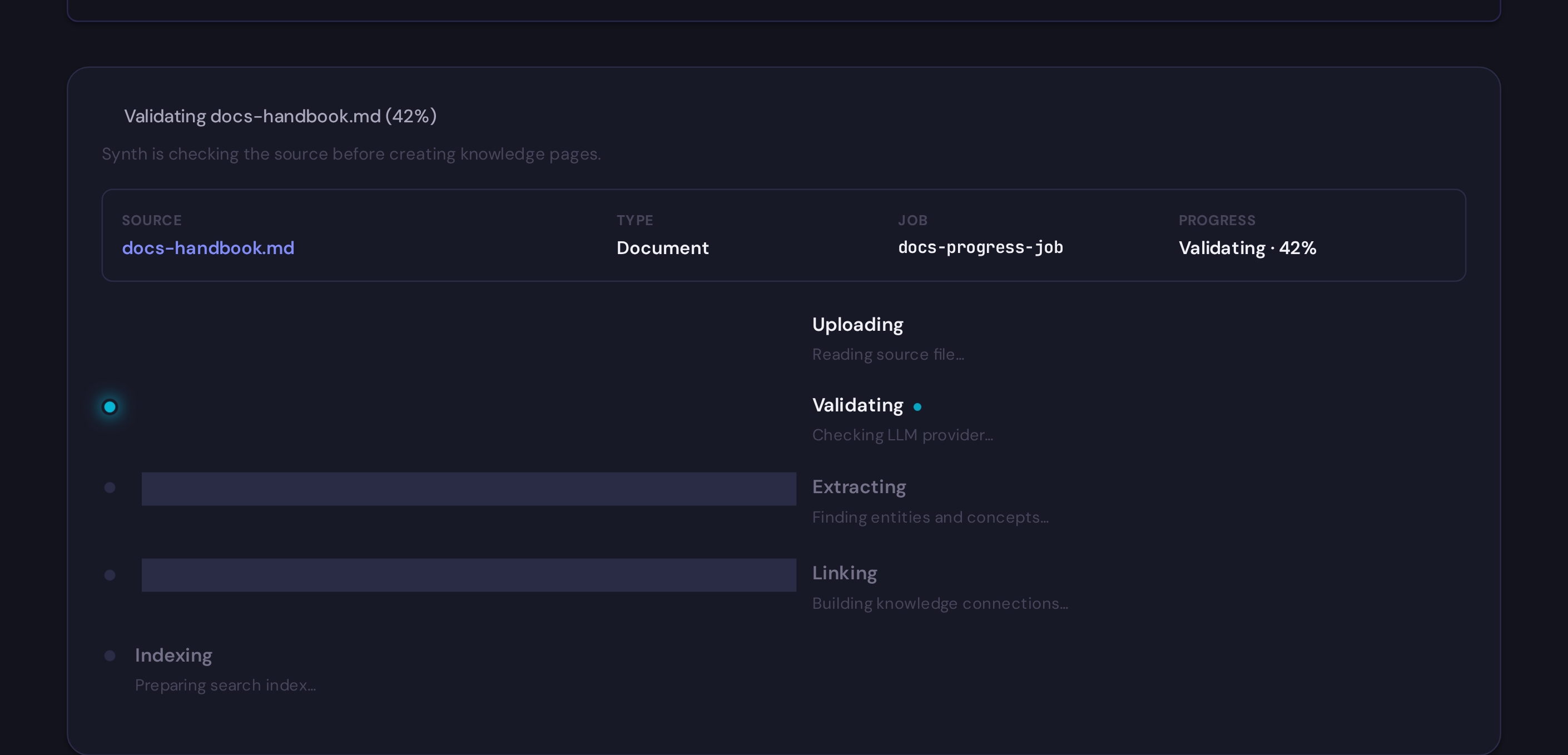
After you start an ingest, keep the page open until Synth finishes. The status area shows the active source, job id, progress, and current pipeline phase.
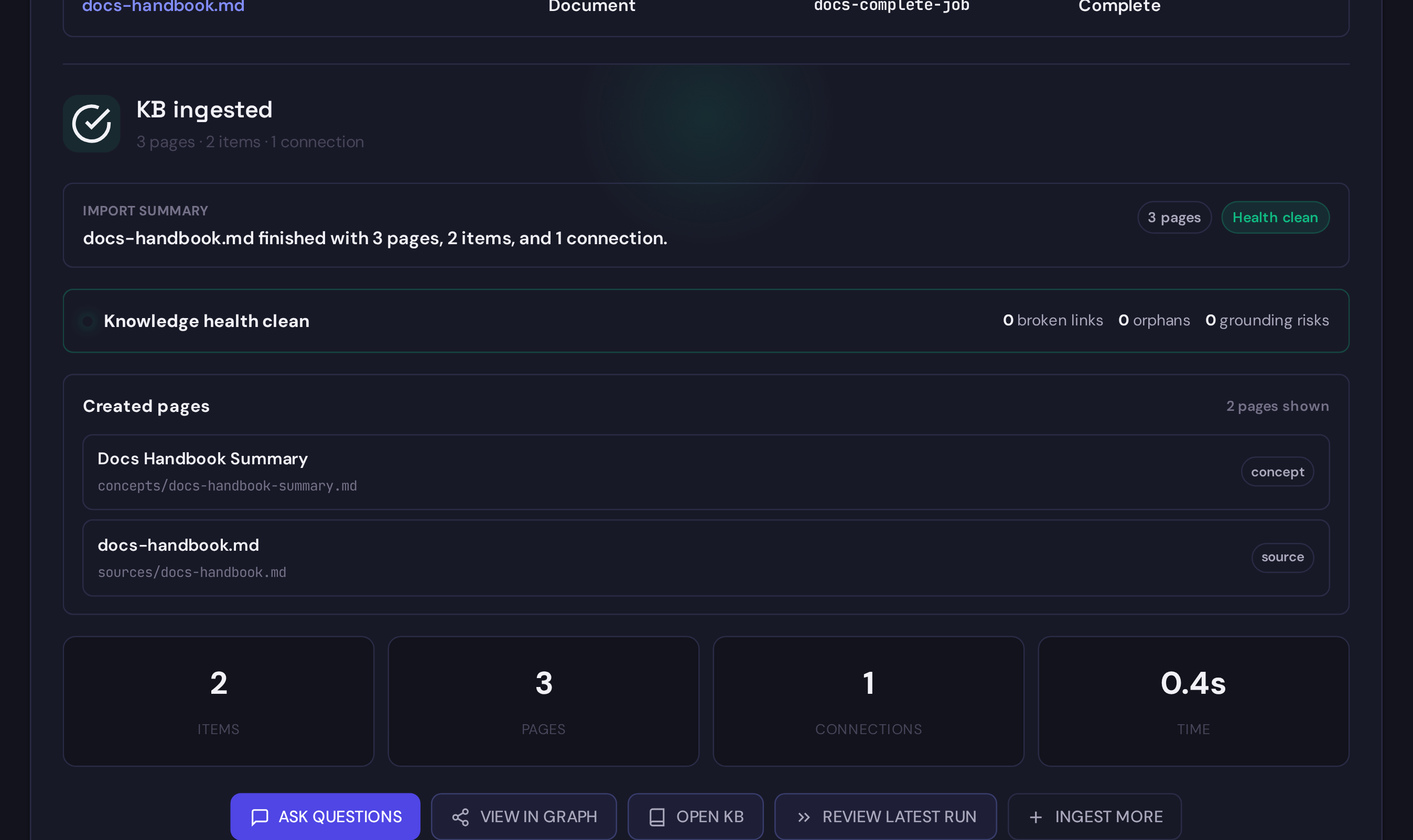
When the import succeeds, review the counts and created pages before asking questions. The created-page links are the fastest way to inspect what was added to project memory.
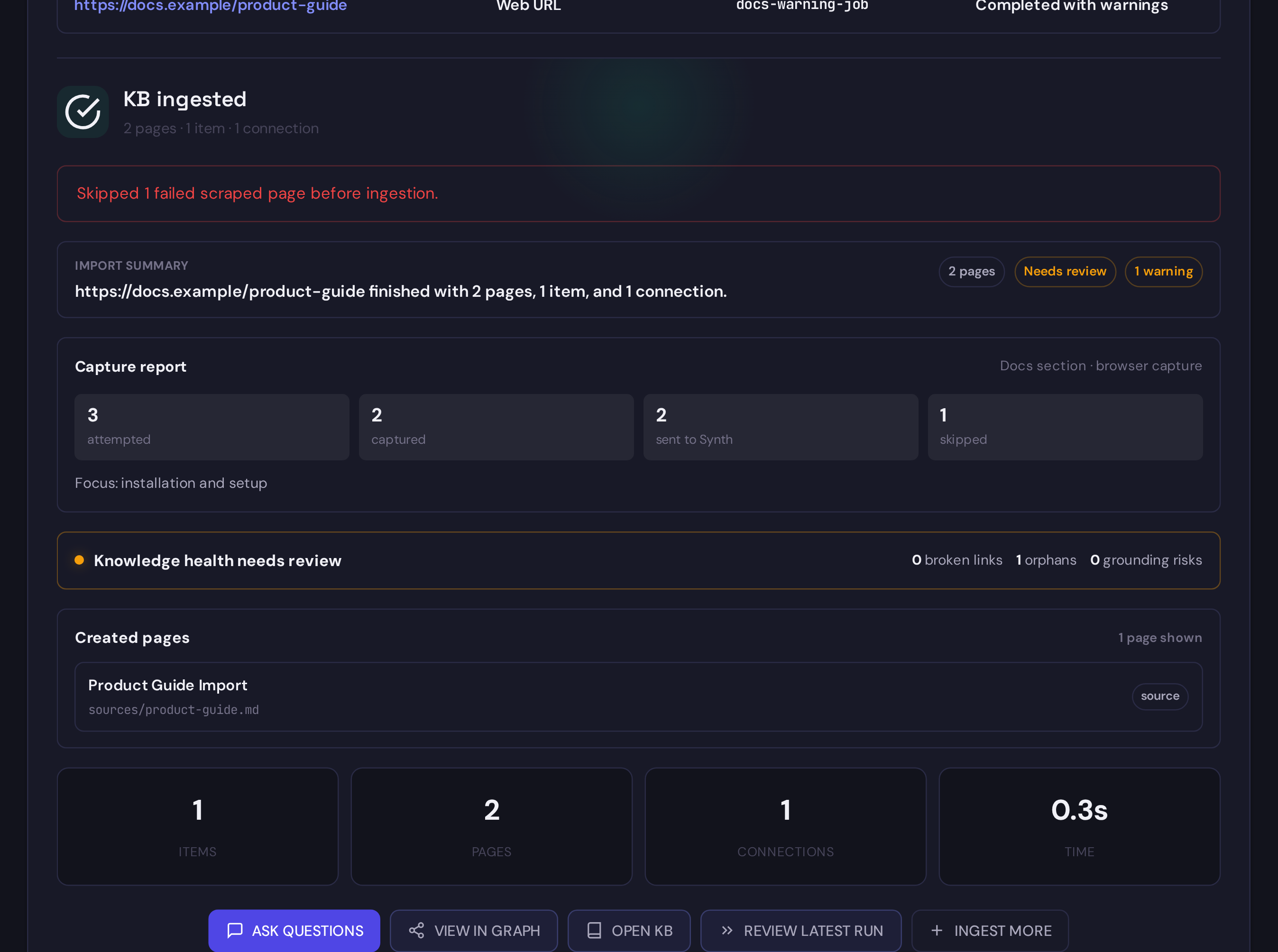
Some runs finish with warnings. Treat those as review prompts: inspect the warning, check the health summary, and decide whether to retry with a narrower source or accept the partial result.
What Happens
source
  -> extraction
  -> knowledge pages
  -> source grounding
  -> graph links
  -> search indexes
After ingestion, use Explore to inspect ranked evidence or let your MCP agent search and read exact pages.
Operation Log
Every ingest appends a short audit entry to knowledge/log.md in the project.
Use it to see when Synth changed project memory and what changed.
For watcher ingestion, an entry is appended only when the batch is published. A queue acknowledgement is not a completed ingest. If a Git batch fails before publication, the prior pages, read snapshot, indexes, and operation log remain active and the watcher retains the affected files for retry.
Example:
## [2026-06-25 09:34:11] INGEST | Ingested 2 sources from git watcher docs
- Sources: 2 succeeded / 0 failed
- Pages: 20 created / 2 updated / 1 deleted
- Connections formed: 7
- Source type: git
- Watcher: docs
Watcher reconcile actions, such as a deleted Git file causing Synth to refresh
or remove KB pages, are recorded as RECONCILE entries in the same file.
Snapshots vs Watchers
One-time ingestion is a snapshot. It adds source-grounded pages for the material you provided at that moment.
A watcher is continuous. Git watchers keep selected files from a canonical branch fresh over time. Jira watchers keep selected Jira Cloud issues fresh as work context. Synth treats watched sources as live knowledge:
If Explore returns old content, check the watcher logs, run Check now, and search for a phrase from the updated source.
See Watchers for file rules, freshness states, and continuous sync setup.
API
For curl examples covering URL, file, Git, and job polling, see the REST API reference.
When Git and Jira both support a task, Synth keeps their source roles separate: Git is implementation truth, while Jira is work intent, operational status, blockers, and decision context.
Next: MCP for AI Agents.