MCP For AI Agents
MCP (Model Context Protocol) lets AI tools search Synth Project knowledge and read exact pages before they answer or edit. Synth exposes a Streamable HTTP MCP server on your licensed deployment:
https://synth.example.com/api/mcp/
Best Workflow
For a question:
Use Synth project docs to answer with citations: what should I read before changing authentication?
The AI tool should call:
synth_list_projectsif the project is unclearsynth_searchwith a focused query- Inspect several ranked excerpts and refine the query when needed
synth_get_pagewith the returned page ID, snapshot, and revision for exact details- Call
synth_statuswhen a read is unavailable or readiness needs inspection - Reason over the evidence and cite its page paths
A snapshot and page revision identify exactly which sealed evidence the agent read. Watcher synchronization health is operational state and is not part of the public knowledge-read response contract.
For coding or writing work:
Use Synth to brief this task before editing: fix users getting logged out after token refresh.
The AI tool should call synth_search, inspect multiple relevant results, and
use synth_get_page when an excerpt is insufficient. Synth retrieves pages;
the connected agent performs the reasoning.
Create A Key
Use onboarding, Settings -> Connect, or curl after setup or login has saved a session cookie.
- Open Settings and stay in the current project context.

- Choose Connect and confirm the MCP server URL.
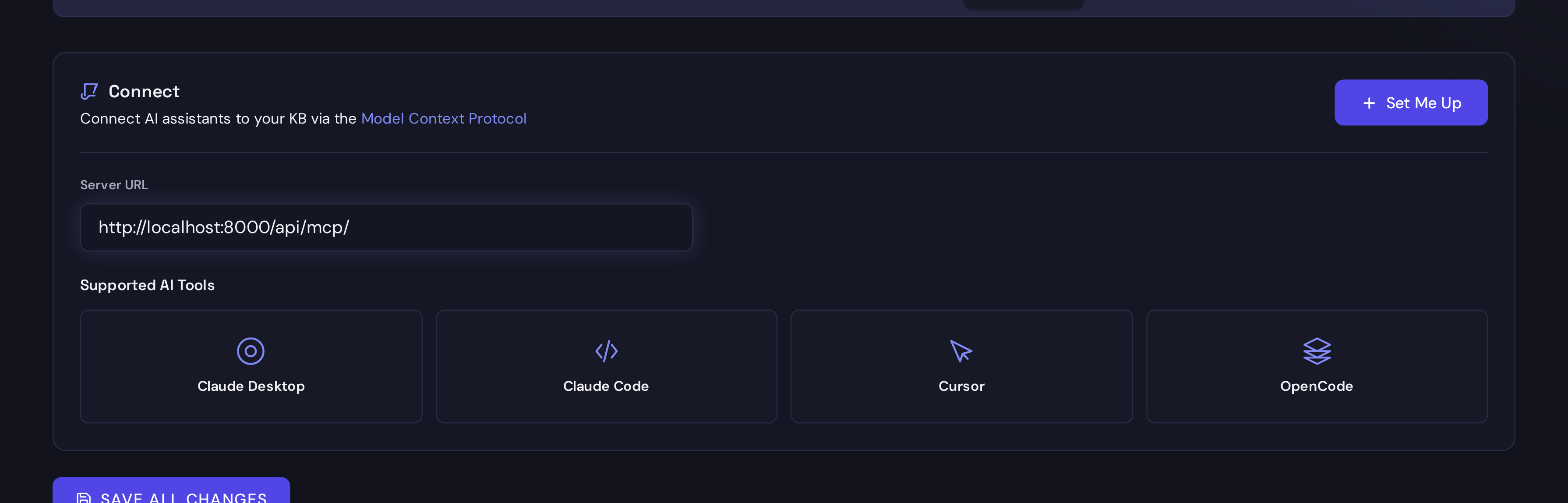
- Pick your client or click Set Me Up. Stop on the API key step until you are ready to create or reuse a key.
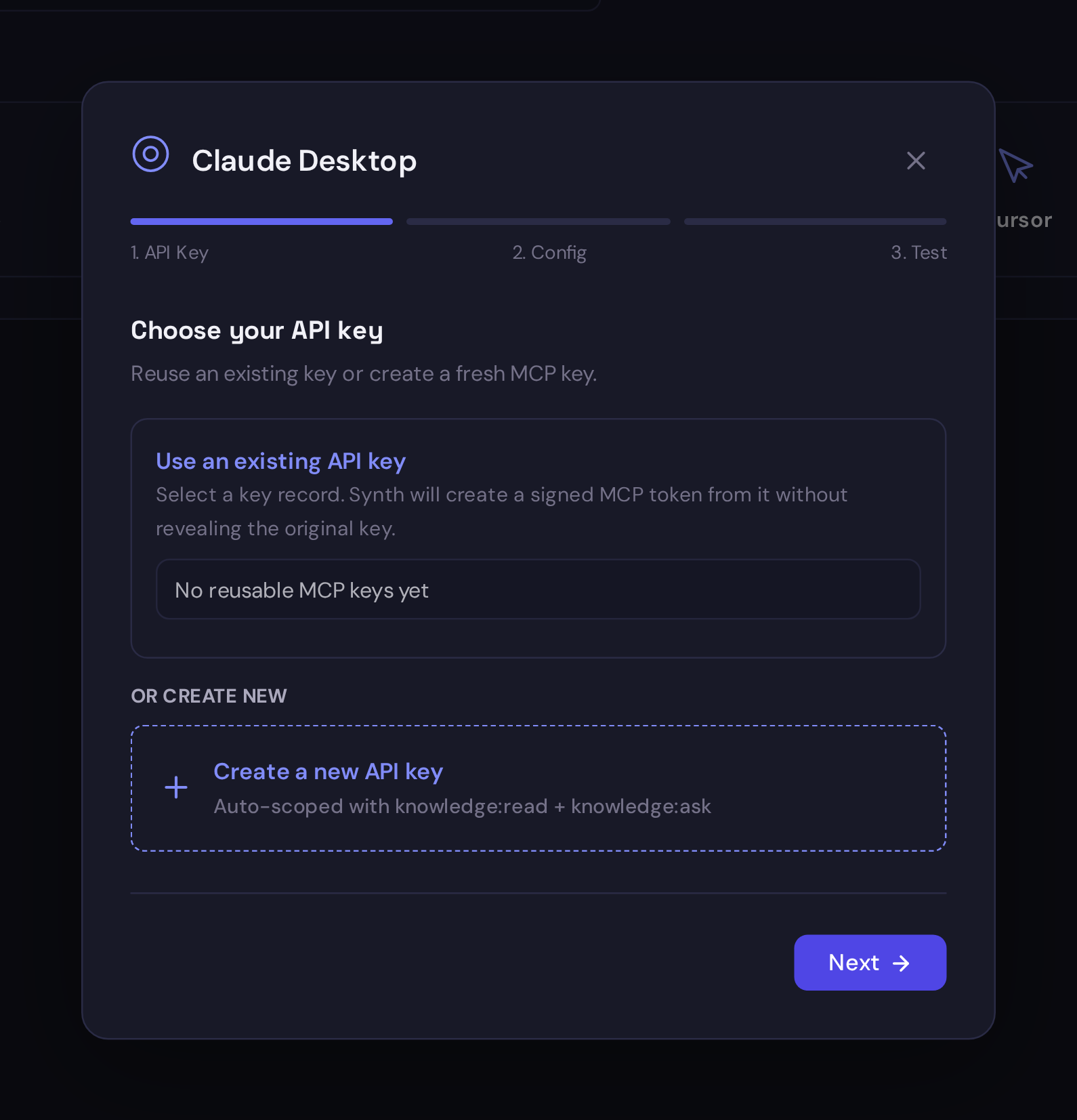
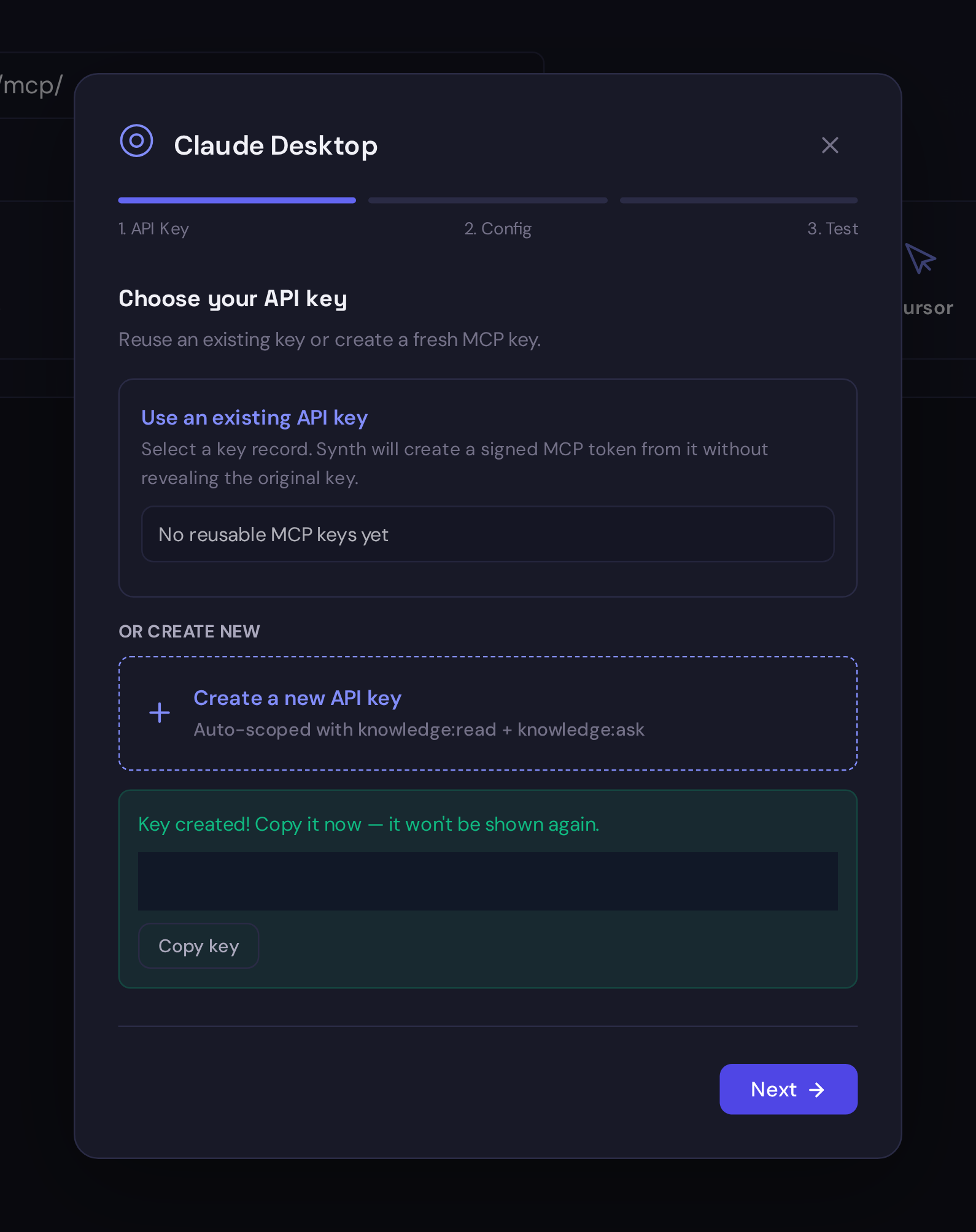
- Create the key, copy it immediately, then continue to the configuration step. Synth will not show that token again after you leave this panel.
With curl:
MCP_KEY=$(curl -s -b /tmp/synth.cookie \
  -H "Content-Type: application/json" \
  -d '{"name":"MCP docs","scopes":["knowledge:read"]}' \
  https://synth.example.com/api/settings/mcp/create-key | jq -r .key)
MCP is read-oriented today. If memory is missing, add the source through the app, REST API, SDK, or a watcher.
Tool List
| Tool | Use |
|---|---|
synth_list_projects | choose the right project |
synth_status | page count, snapshot, and index state |
synth_search | search ranked current Project evidence |
synth_get_page | read the current exact page, with optional consistency guards |
Start agent keys with the read-only knowledge:read scope.
OpenAI Responses Config
OpenAI remote MCP calls require a Synth MCP endpoint reachable from OpenAI. Use
a public HTTPS endpoint or approved secure tunnel, not localhost.
{
  "tools": [
    {
      "type": "mcp",
      "server_label": "synth",
      "server_description": "Read-only deterministic Synth project evidence.",
      "server_url": "https://synth.example.com/api/mcp/",
      "authorization": "synth_sk_REPLACE_ME",
      "allowed_tools": [
        "synth_list_projects",
        "synth_status",
        "synth_search",
        "synth_get_page"
      ]
    }
  ]
}
Claude Config
{
  "mcpServers": {
    "synth": {
      "type": "http",
      "url": "https://synth.example.com/api/mcp/",
      "headers": {
        "Authorization": "Bearer synth_sk_REPLACE_ME"
      }
    }
  }
}
OpenCode Config
{
  "$schema": "https://opencode.ai/config.json",
  "mcp": {
    "synth-kb": {
      "type": "remote",
      "url": "https://synth.example.com/api/mcp/",
      "headers": {
        "Authorization": "Bearer synth_sk_REPLACE_ME"
      }
    }
  }
}
Shell-Based Tools
Prefer direct MCP tools when your AI tool supports remote MCP. For tools that
can only run shell commands, use the first-class synth search and synth page
commands. The CLI Automation and CI/CD guide
shows a fully non-interactive login with file- or stdin-based secrets. Use curl
only when diagnosing the MCP protocol itself.
Quick Server Test
curl -s https://synth.example.com/api/mcp/ \
  -H "Authorization: Bearer $MCP_KEY" \
  -H "Accept: application/json, text/event-stream" \
  -H "Content-Type: application/json" \
  -d '{"jsonrpc":"2.0","id":1,"method":"tools/list","params":{}}'
Troubleshooting
| Problem | Fix |
|---|---|
401 Unauthorized | Check the synth_sk_... key. |
406 Not Acceptable | Add Accept: application/json, text/event-stream. |
| No tools found | Use /api/mcp/, not /api/mcp or /. |
| Wrong project | Call synth_list_projects and pass the returned stable Project ID. |
| Weak answer | Add the missing source through the app, API, SDK, or a watcher. |
Next: API & SDK.