Watchers
Watchers keep project memory fresh after the first ingest. Use a Git watcher for docs, README files, runbooks, ADRs, and other high-signal Markdown or text files. Use a Slack watcher when team conversations contain useful decisions, incident context, support notes, or operational knowledge that should be available with clear provenance. Use a Jira watcher when issues contain work intent, operational status, blockers, and decisions from Jira Cloud. Use a Google Drive watcher for a directly shared folder of Docs, Slides, PDFs, DOCX, Markdown, and text files that must stay current.
Use a watcher when the source changes over time. Use one-time ingestion when you only need a snapshot.
UI Setup
A Project is the shared context space, not a single repo. Git, Jira, and Slack watchers sync external context into that space. Retrieved pages retain source roles and provenance: Git is current implementation truth; Jira is planning and operational context; Slack is team conversation context. A connected agent can use those distinctions when it reasons over the evidence.
For Jira-specific setup, see Jira Watchers. For service-account setup, supported exports, CaSC, checkpoint safety, and full reconcile, see Google Drive Watchers.
The screenshots in this section show the setup flow only. A real first sync still depends on repository access, credentials for private repos, and file rules that match the branch you selected.
- Open Watchers and confirm you are in the project that should receive the synced context.
Git watchers treat source files as the ground truth. Jira watchers treat Jira issues as work-context sources. Slack watchers treat team conversations as decision and rationale context. The Markdown pages in the knowledge base are derived views over the live watched sources.
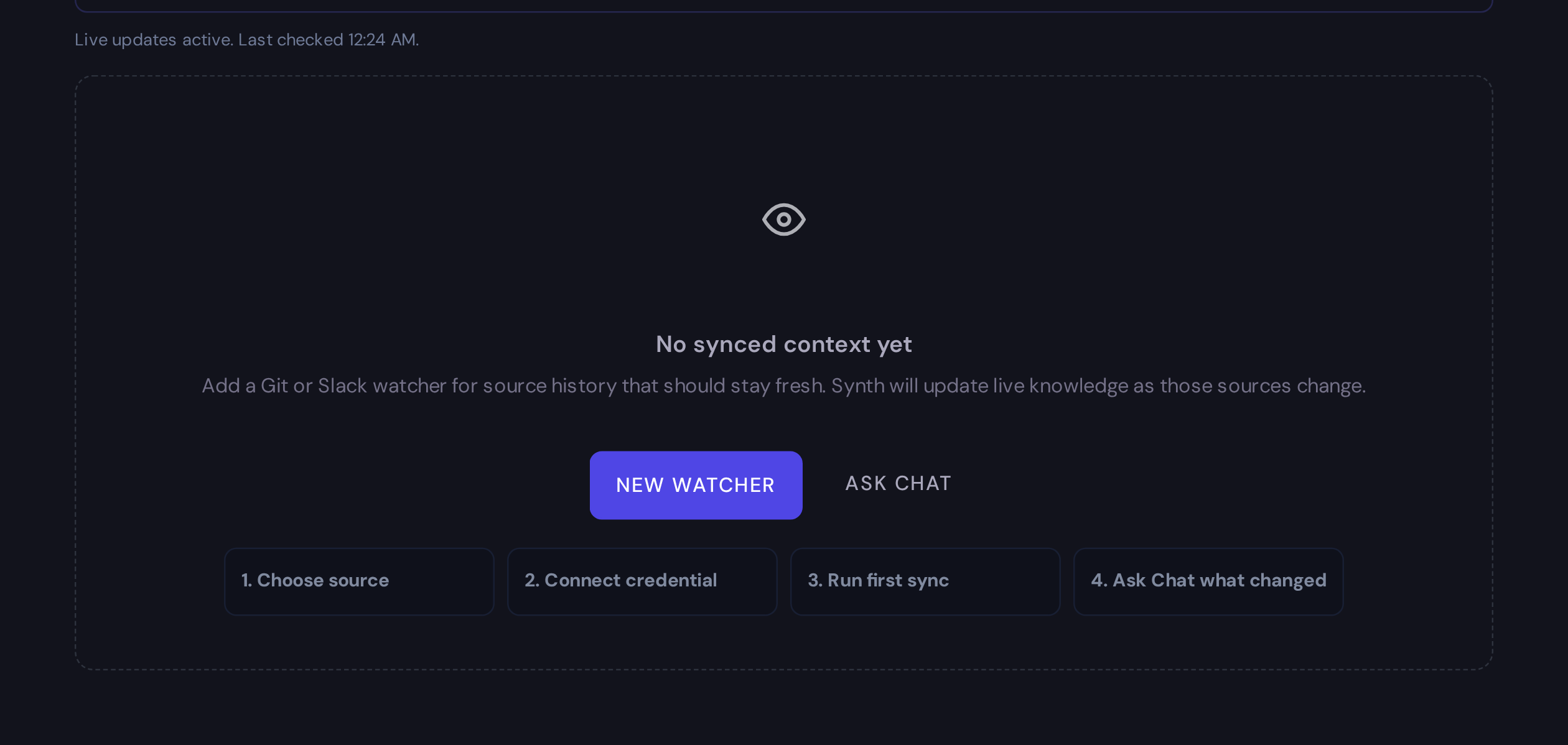
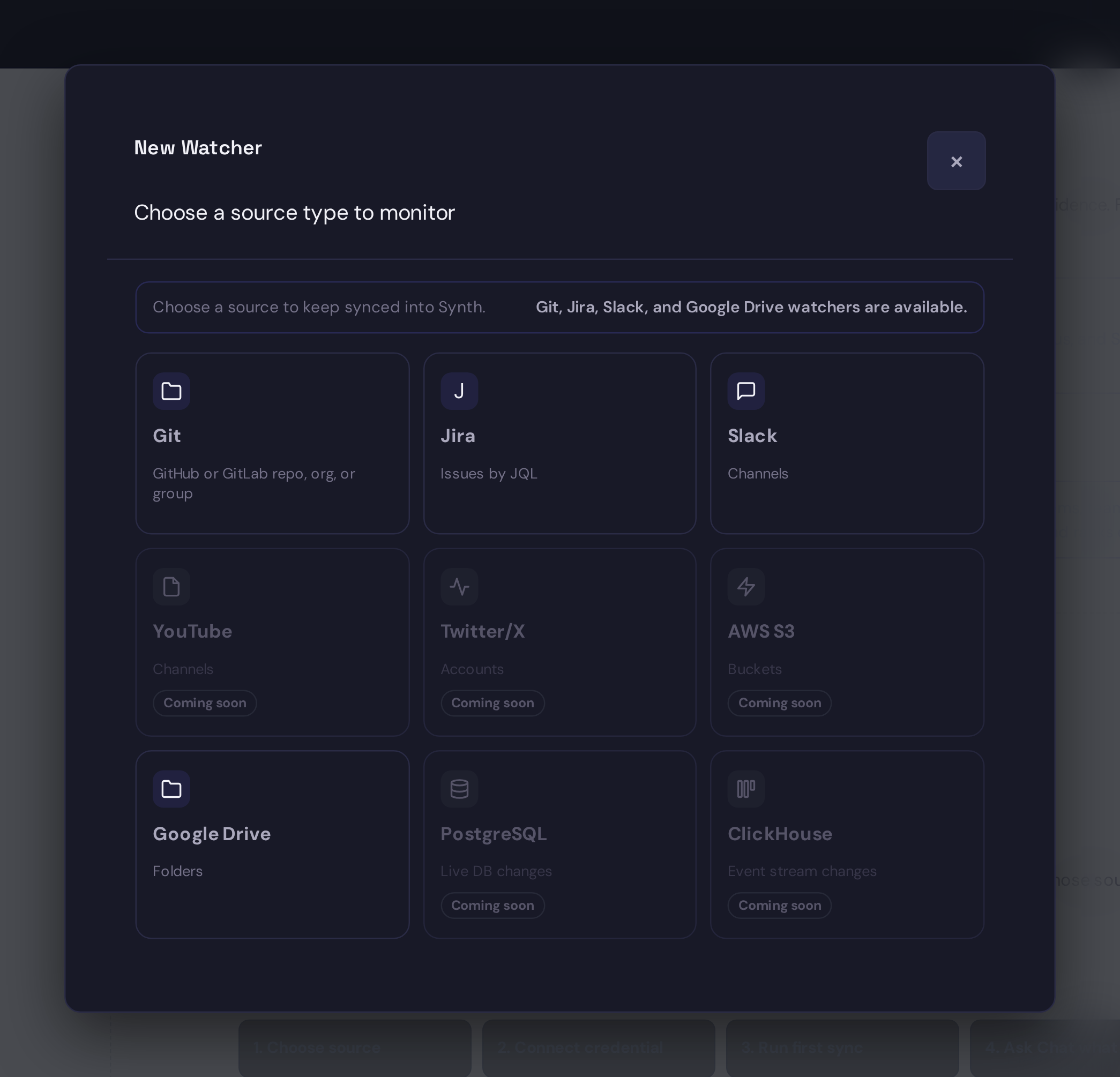
- Select New Watcher, then choose Git, Jira, or Slack.
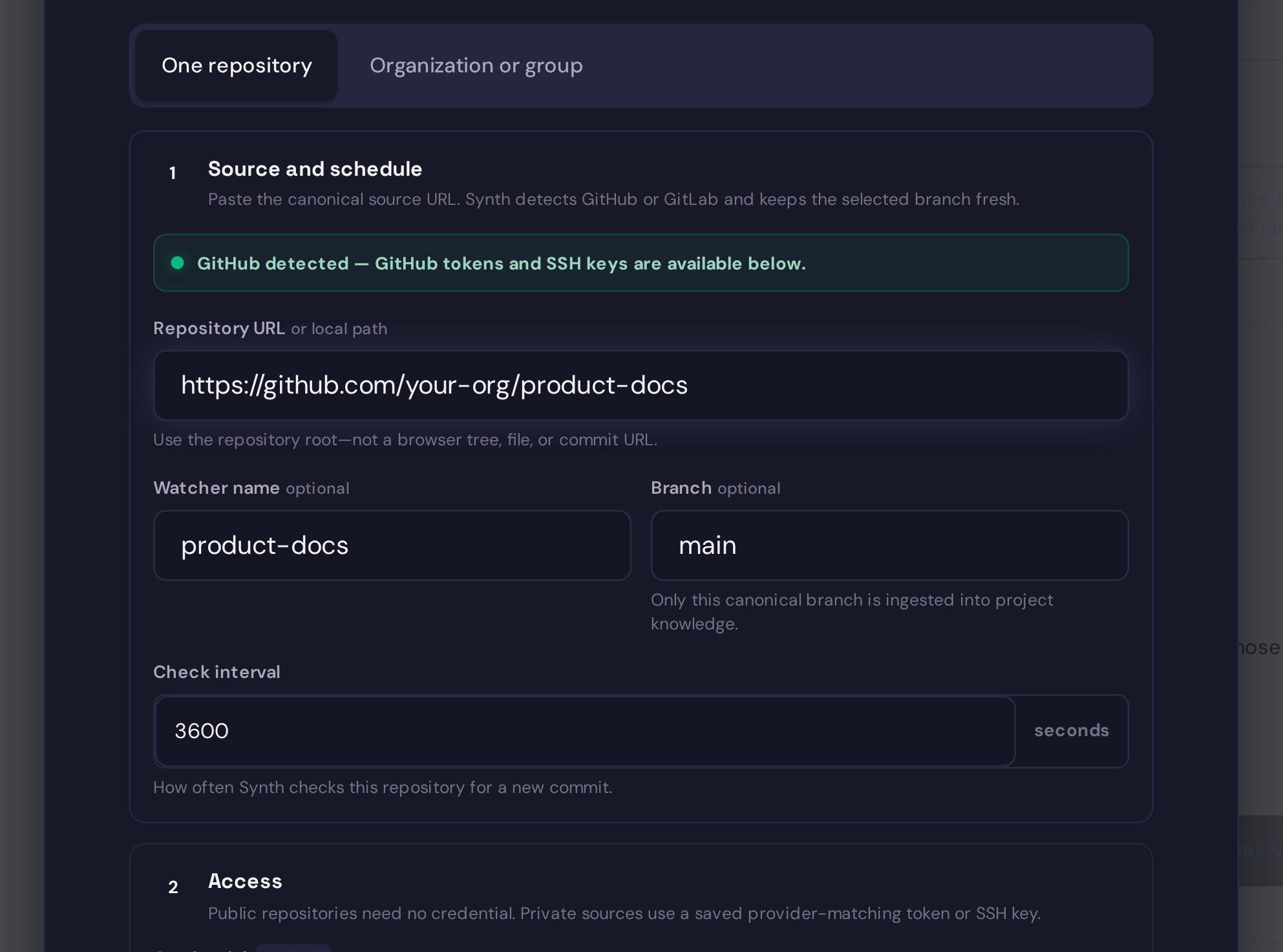
- In Source and schedule, paste the repository URL or local path, then set the optional watcher name, branch, and polling interval. Synth detects GitHub or GitLab before it asks you to choose a credential.
- In Access, leave the credential empty for a public repository or select a saved provider-matching credential for a private source. Then review Files to sync. Keep includes focused and add excludes for archive, generated, or noisy folders.
Saved credentials are organization-wide rather than attached to a Project. You can select your own Personal credentials from any Project you can configure; Global credentials are available to everyone and editable only by administrators. See Credentials for scope and visibility details.
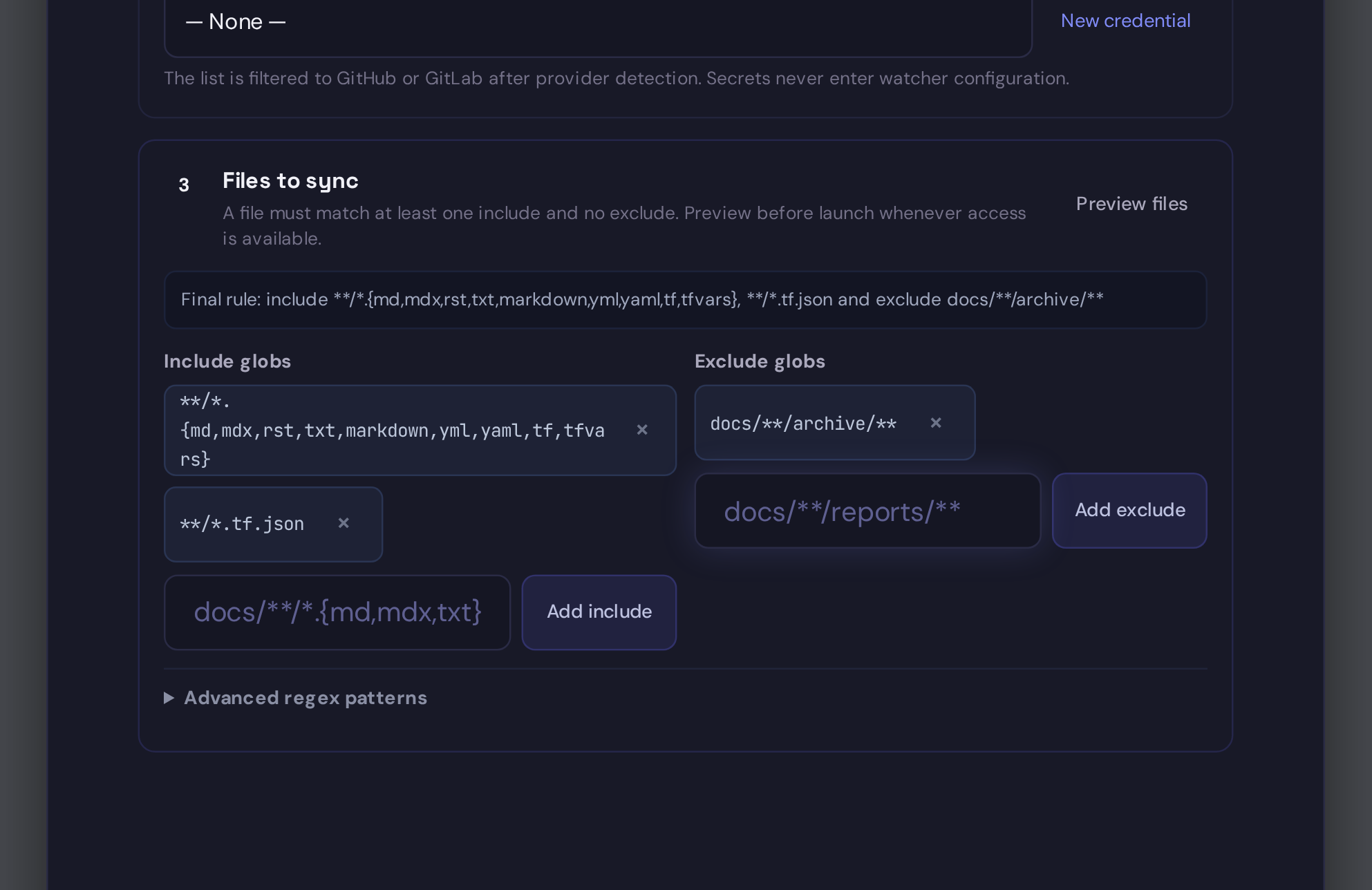
- Preview matched files and scan the folders before saving.
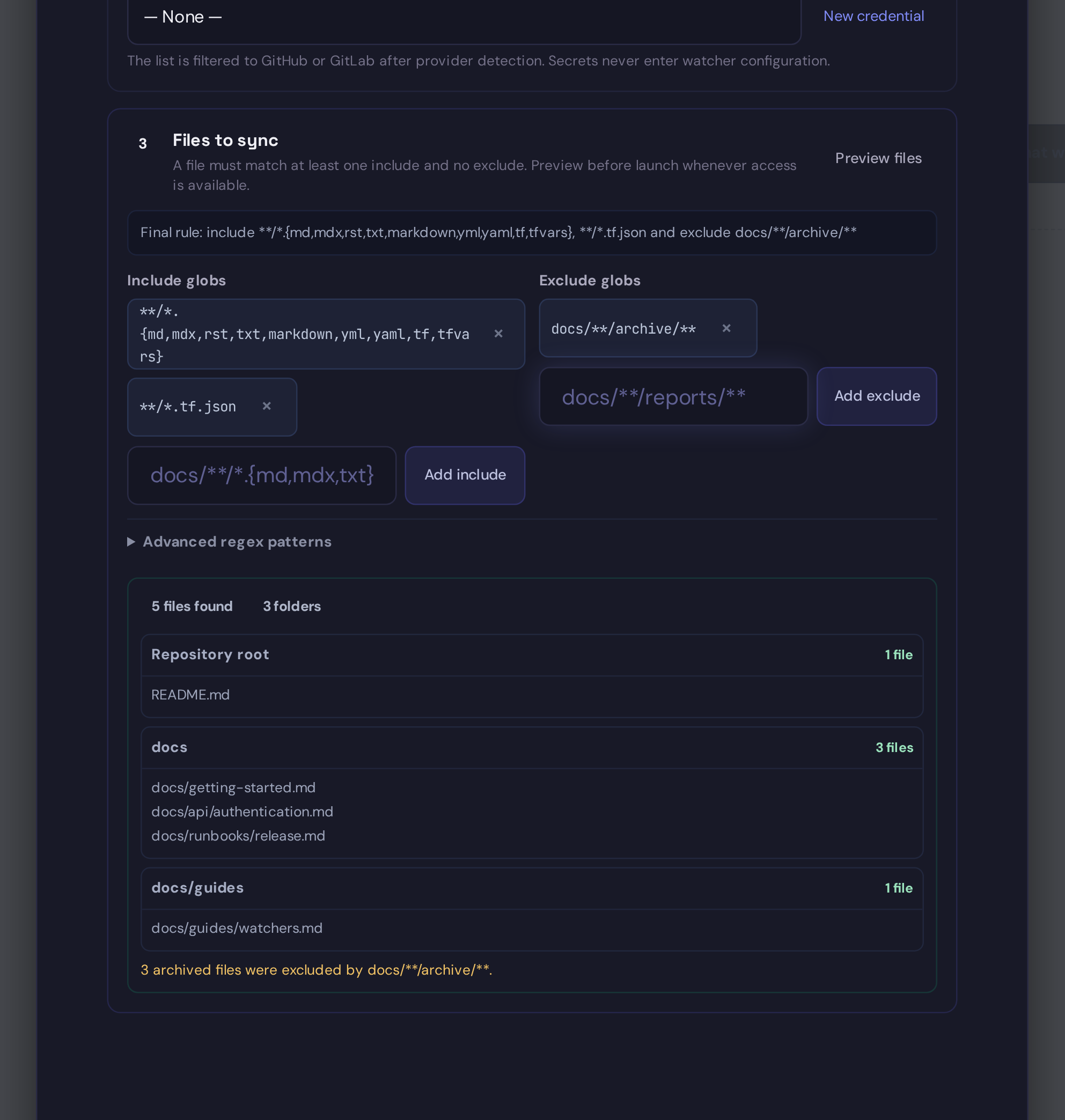
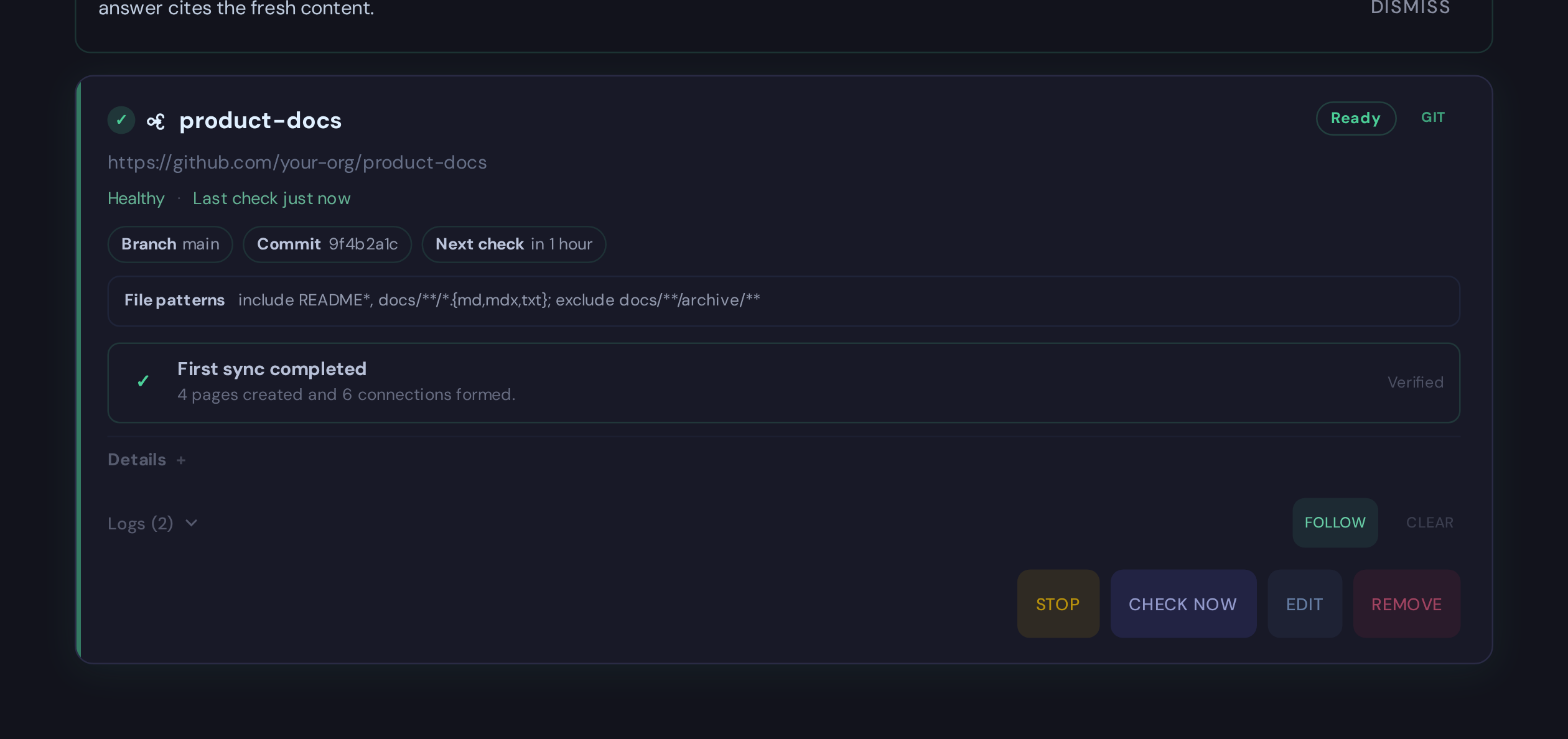
- Leave Resume automatically after restarts selected unless this watcher should remain paused after deployment or server restarts. Select Start watching. Use Run Once when you want an immediate first check, then review the completed state.
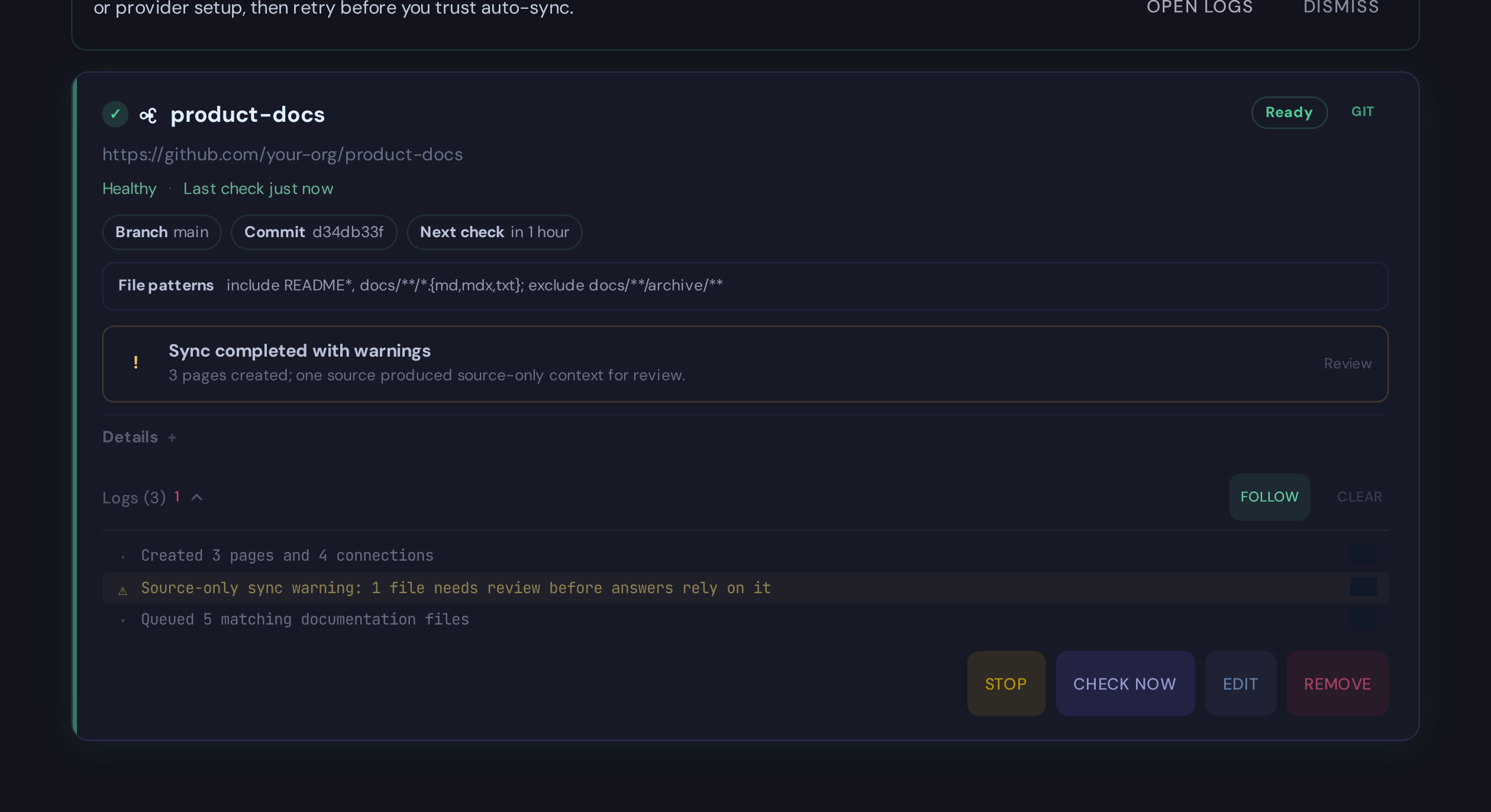
- Open logs when a sync finishes with warnings.
Watcher Card States
Saved watcher cards summarize runtime health, source freshness, the latest sync, and the next safest action.
| State | Meaning | What to do |
|---|---|---|
| Ready | Recent checks are flowing and the watcher is healthy. | Leave it running or inspect the created pages before launch. |
| First check pending / Syncing | The first check or a manual/scheduled sync is still running. | Watch logs until the run finishes. |
| Stale | The watcher is running but has not checked recently enough for its interval. | Run once, then review logs. |
| Paused | The watcher is saved but not polling. | Start it after credentials and scope are ready. |
| Backlog paused | Startup auto-start was skipped because pending watcher work exceeded the safety threshold. | Narrow the scope, clear or reduce pending backlog, or run a controlled manual sync. |
| Needs attention | Health is unhealthy, a timestamp is invalid, or source/config repair is needed. | Follow the card action hint and expanded logs. |
When auto-start skips a large pending backlog, the card also shows the pending count plus a sanitized backlog focus or sample path. That tells you where the work is concentrated without exposing host filesystem paths.
A durable queue handoff is an in-progress state, not a completed sync. This
applies to Git and Google Drive: queued, running, and retrying mean the
source is still pending and its source checkpoint has not advanced. A watcher
only records the source as tracked after the worker succeeds and the worker's
snapshot and index generation are the active Project read revision. Failed or
cancelled jobs remain pending and are recovered after restart.
For Google Drive, logs name the affected file and then report the terminal page and connection counts as soon as the ingestion worker finishes. The committed checkpoint is the authoritative signal that the published knowledge and source membership are safe. See Reading Drive Upload Logs for message examples and recovery guidance.
For Git, do not use the absence of a new knowledge/log.md entry as proof that
a queued sync completed. A successful batch publishes its pages, read snapshot,
index generation, operation-log entry, and Git checkpoint as one recoverable
unit. If extraction fails, the previous read snapshot and operation log remain
active while the Git files stay pending for retry. Verify a launch-critical
change by checking the terminal watcher result and then searching for a unique
phrase through MCP or Explore at the active snapshot.
Best First Setup
Use the Watchers screen in the web app:
- Choose Git.
- Paste the repository URL.
- Pick the branch, usually
main. - Add focused file rules.
- Preview matched files.
- Save the watcher.
- It starts automatically by default. Use Run Once for an immediate check, then inspect logs and created pages before trusting auto-sync for answers.
Private repositories need a stored Git credential. Create a Personal credential in Settings -> Credentials, or ask an administrator to create a Global credential in Global Settings -> Credentials, then select it on the watcher.
GitHub And GitLab Repositories
The Git Repository watcher supports both GitHub and GitLab.com. There is no separate GitLab watcher: Synth detects the provider from the repository or collection URL and keeps one clone, file-rule, freshness, and reconcile engine. Choose One repository for a single GitHub or GitLab project.
Supported repository examples:
https://github.com/acme/docs
git@github.com:acme/docs.git
https://gitlab.com/acme/platform/team/docs.git
git@gitlab.com:acme/platform/team/docs.git
GitLab nested namespaces are part of repository identity. Two projects named
docs in different subgroups remain distinct. Do not paste a GitLab browser
tree URL such as /-/tree/feature/docs; branch names can contain slashes, so
use the repository URL and enter the branch and file rules separately.
For a public repository, leave Credential empty. For a private repository:
- Create a Personal GitHub Personal Access Token, GitLab Personal Access Token, or SSH Private Key credential in Settings -> Credentials; administrators may instead create a Global credential in Global Settings -> Credentials.
- Paste the repository URL. The credential picker filters itself to the detected provider.
- Select the saved credential and preview the file rules.
- Save the watcher and confirm the first completed sync.
A GitLab token needs read_repository for private HTTPS clone. A GitLab group
watcher also calls the REST API and needs read_api. Use the narrowest token
and group membership that can read the intended scope.
GitLab Groups And GitHub Organizations
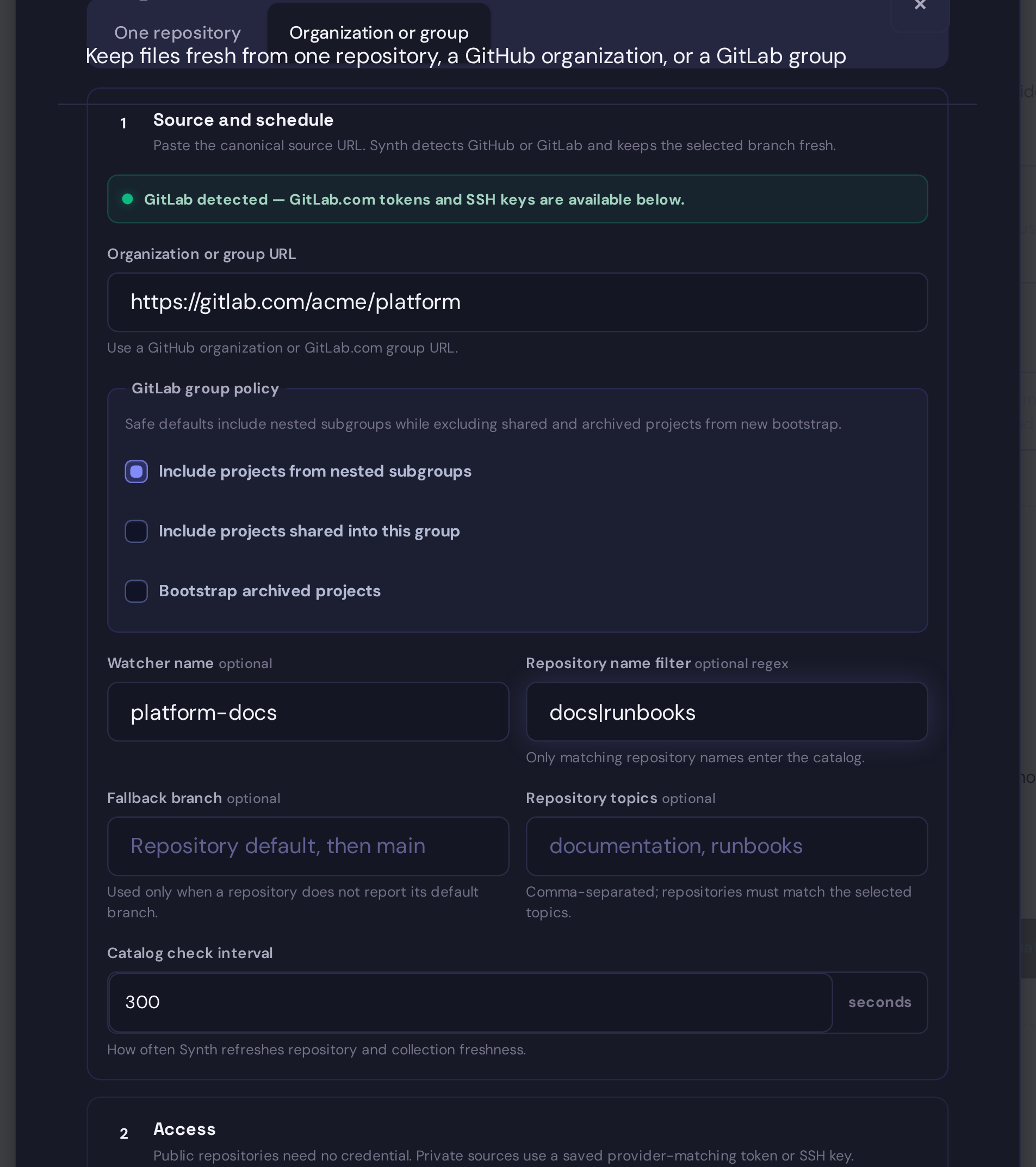
Choose Organization or group to watch a provider collection:
- GitHub accepts an organization URL such as
https://github.com/acme. - GitLab accepts a group URL such as
https://gitlab.com/acme/platform. - The provider is detected from the collection URL before the credential list is filtered.
- GitLab includes nested subgroups by default. Keep Include projects from nested subgroups selected when subgroup projects are in scope.
- Shared projects and archived projects are excluded from new bootstrap by default. Enable either policy only after reviewing the wider scope. An already tracked project that becomes archived remains tracked.
Collection freshness is separate from file freshness. Each repository keeps a commit checkpoint. The collection also keeps a durable repository catalog:
- Synth follows provider pagination to a terminal page before trusting a catalog observation.
- Authentication, rate-limit, timeout, malformed-response, and partial-page failures keep the last trusted catalog and existing knowledge.
- A missing repository must be absent from two complete snapshots separated by the configured confirmation window before removal. An explicit full reconcile can confirm sooner but cannot bypass mass-removal approval.
- Large removal plans stop at a safety gate and show Review removals.
- Source support is reconciled before the catalog checkpoint advances.
- New repositories finish bootstrap ingestion before the catalog checkpoint advances.
Use Full reconcile for an immediate complete catalog check. Use Review removals only after confirming the provider group really changed; the approval applies once and does not disable future safety gates.
Full self-managed GitLab provider support is disabled. There is deliberately no environment, API, CaSC, or Helm allowlist switch for GitLab provider features until SSRF/DNS rebinding, custom CA, redirect, API-version, hostile-server, SSH known-host, and operational acceptance gates all pass.
An operator can opt a single repository on another Git host into the generic
Git adapter by setting SYNTH_ALLOW_ARBITRARY_GIT_URLS=1 on the Synth runtime
and restarting the affected service or pod. A private self-hosted GitLab or
GitHub repository can use its HTTPS clone URL with the matching saved
GitLab Personal Access Token or GitHub Personal Access Token credential.
SSH clone URLs with a saved SSH Private Key credential are also supported.
For Helm deployments, set this in top-level extraEnv; the chart applies it to
both the web and ingestion-worker containers.
This setting is an explicit trust decision because Git clone runs from the Synth server and can reach hosts on the server's network, including private services that are not reachable from a user's browser. Keep arbitrary Git disabled unless watcher managers are trusted to choose repository hosts and the deployment's network policy limits unintended destinations. The selected PAT is sent only to the exact HTTPS origin in the repository URL, and Synth disables authenticated redirects.
This is generic private-repository support, not full provider integration:
- only One repository is supported; GitLab group watching is unavailable;
- GitLab and GitHub PATs authenticate HTTPS clone operations only;
- provider API features, automatic provider discovery, and group reconciliation are unavailable; and
- the operator is responsible for trusting the repository host and its network path before enabling arbitrary Git URLs.
For a self-hosted HTTPS repository, use the canonical clone URL ending in .git
and select the PAT type matching the server product.
The watcher error This Git host is not enabled means the host was routed to
the generic adapter while this opt-in was disabled.
GitLab.com support does not require an enablement setting. For a non-destructive rollback, stop the affected watcher; its saved state and already-published knowledge remain intact.
The watcher details keep two independent signals visible:
- Repository freshness reports fresh, checking, retrying, blocked, empty, and unknown repository results.
- Catalog freshness reports the trusted generation, age, authentication provenance, pending additions, missing candidates, and a blocked removal digest when operator review is required.
- Managed clone storage reports watcher usage, the watcher-wide bound, and
the per-repository bound. Local
repo_pathcheckouts are operator-managed and are not counted.
A running process is not proof of freshness. Treat incomplete, retrying,
reconcile_required, and blocked as operator-action states.
After the first run, verify both signals on the watcher card:
- Repository freshness should show a recent successful check for each expected repository.
- Catalog freshness should show a complete trusted generation for an organization or group watcher.
- If Review removals appears, verify the provider-side change and the displayed plan digest before approving it. Approval is one-use.
- Use Full reconcile after credential or group-policy changes, or when the
card reports
reconcile_required. It does not bypass removal safeguards.
Git Watcher Operations
Synth enforces managed-clone storage after every clone and pull. The defaults
are 2 GiB per repository and 10 GiB per watcher. If either limit is crossed,
Synth removes the rejected checkout, reports an unhealthy retryable error, and
does not advance the trusted catalog or file checkpoint. Set
max_repository_clone_bytes and max_watcher_clone_bytes in the watcher's
advanced config; both accept 1 MiB–1 TiB, and the repository limit cannot be
larger than the watcher limit.
Catalog diagnostics are bounded too. By default Synth keeps 50 completed
generations and 20 failed or blocked generations, with their action rows. Set
catalog_completed_generations_to_keep and
catalog_terminal_generations_to_keep from 1–500. The active crash-recovery
generation is never compacted.
For Kubernetes, enable monitoring.enabled,
monitoring.serviceMonitor.enabled, and
monitoring.prometheusRule.enabled. The chart supplies alerts for:
- stale or repeatedly incomplete collection catalogs;
- repositories that remain retrying or blocked;
- removal plans waiting at the safety gate;
- warning and critical managed-clone capacity.
Route the generated rule labels through your Alertmanager policy and set
monitoring.prometheusRule.runbookUrl to this operator-approved procedure.
When an alert fires:
- Open the watcher card and compare repository freshness with catalog freshness.
- Inspect credential-redacted logs and verify provider access.
- For capacity alerts, narrow the collection or increase persistent-volume headroom before increasing a watcher bound.
- For removal alerts, verify the provider-side change and approve only the exact displayed snapshot digest.
- Run Full reconcile after repair. Never delete watcher state or the PVC as a first response.
Slack Watchers
Slack watchers sync useful channel conversations into Synth as source snapshots. They are best for context such as:
- decisions and rationale discussed in a channel;
- incident timelines and follow-up notes;
- support or customer context that should be searchable;
- operational status and handoff details.
Slack is conversation context, not implementation truth. When Slack evidence is mixed with Git or docs, treat Slack as what the team discussed and Git/docs as the stronger source for what is currently implemented.
Slack Setup
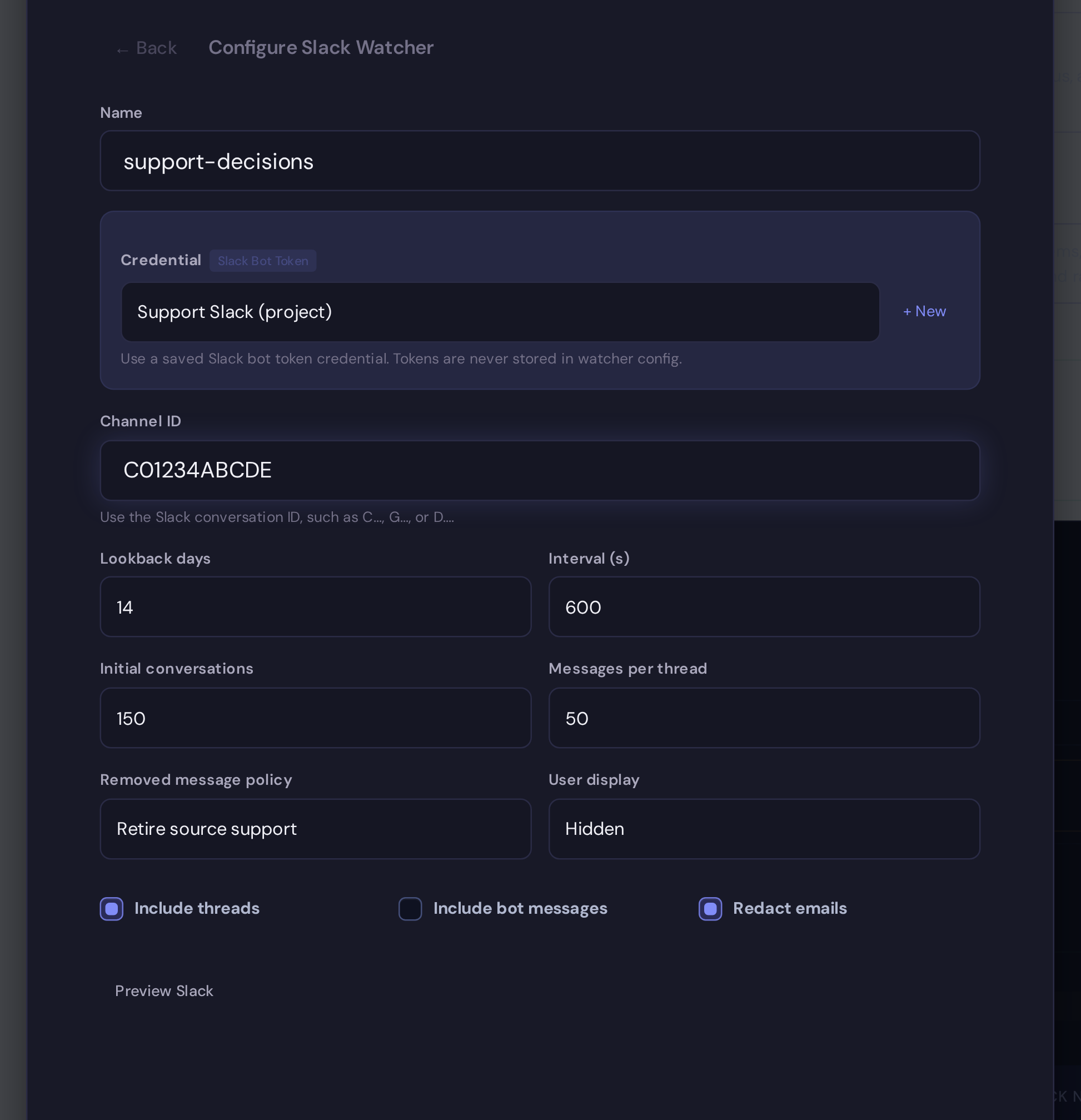
- Create a Personal Slack Bot Token credential in Settings -> Credentials, or ask an administrator to create a Global one in Global Settings -> Credentials.
- Add the bot to the Slack channel you want to sync.
- Open Watchers, choose Slack, and select the saved credential.
- Paste the channel ID, not the display name.
- Set lookback, polling interval, thread, bot-message, privacy, and removed-message options.
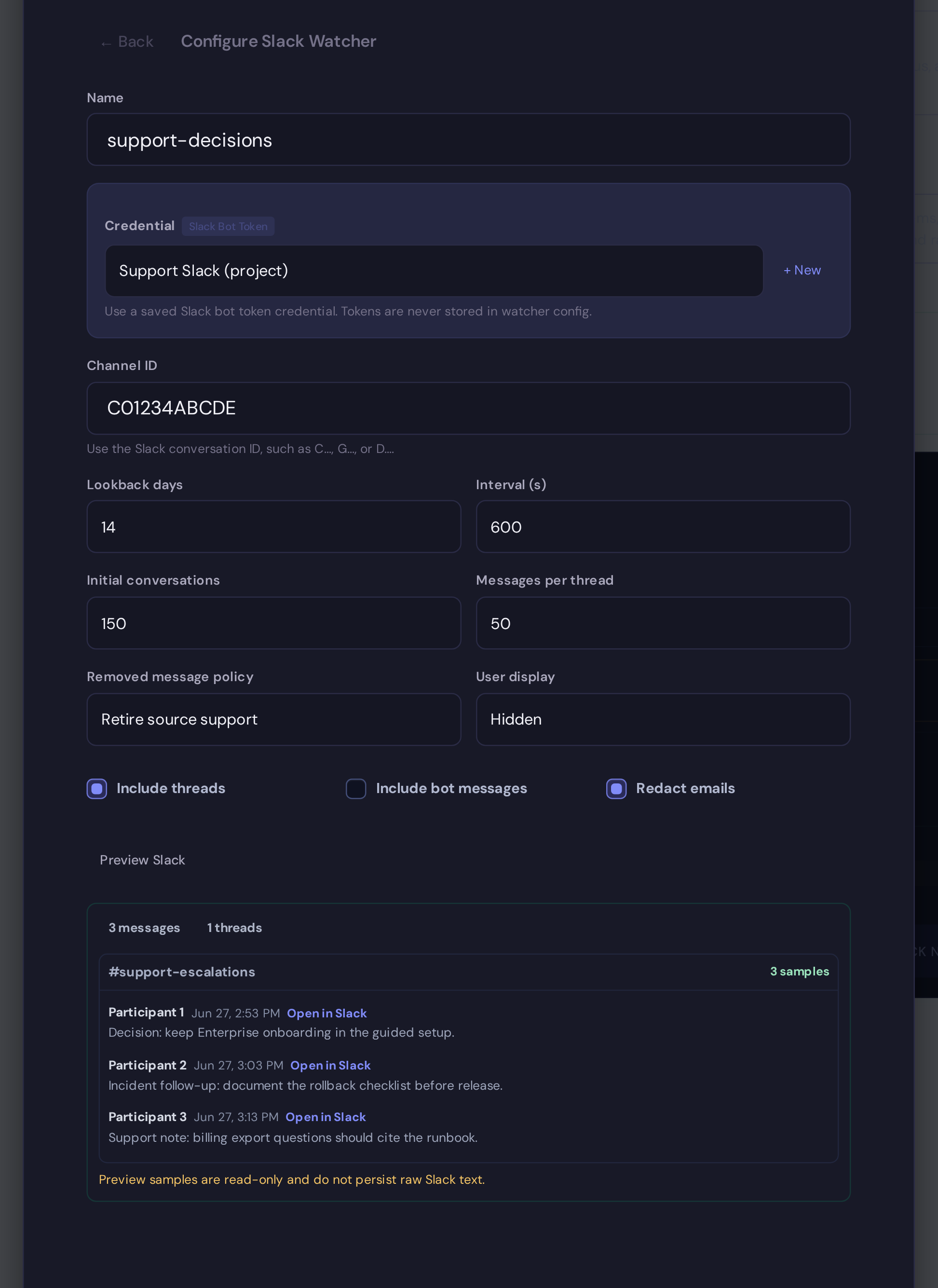
- Use Preview Slack to confirm access and sample messages.
- Save the watcher, run the first sync, then review logs and created source pages.
Never paste a Slack token into watcher config, CaSc, API payloads, or docs. Watchers reference saved credential IDs only.
Required Slack Access
Exact scopes depend on workspace policy and channel type. Start with the least access needed for the channel you plan to sync.
| Channel type | Typical scopes | Notes |
|---|---|---|
| Public channels | channels:read, channels:history | Bot must be able to read the channel history. |
| Private channels | groups:read, groups:history | Bot must be invited to the private channel. |
| Threads | Same history scope as the parent channel | Thread replies are read through Slack's replies API. |
| Permalinks | History access for the message | Permalinks improve source traceability; Synth falls back to stable internal URIs when unavailable. |
If preview reports missing scope, update the Slack app scopes, reinstall or reauthorize the app as required by your workspace, then retry preview.
Finding A Channel ID
Slack watchers use channel IDs such as C01234ABCDE, not #engineering.
Common ways to find the ID:
- open channel details in Slack and copy the channel ID;
- copy a message link and read the
/archives/<channel-id>/...segment; - ask a workspace admin to provide the approved channel ID.
For private channels, invite the bot before previewing. A valid channel ID still fails if the bot is not a member.
Preview Behavior
Preview checks the saved credential, channel access, a bounded history sample, optional thread replies, and permalinks. It is read-only:
- it does not create watcher state;
- it does not write raw Slack snapshots;
- it does not advance checkpoints;
- it does not persist sampled message text.
Preview is recommended before create, but it is not required. Some workspaces rate-limit preview calls, so a syntactically valid watcher can still be saved and then report access errors through watcher logs.
Sync And Rate Limits
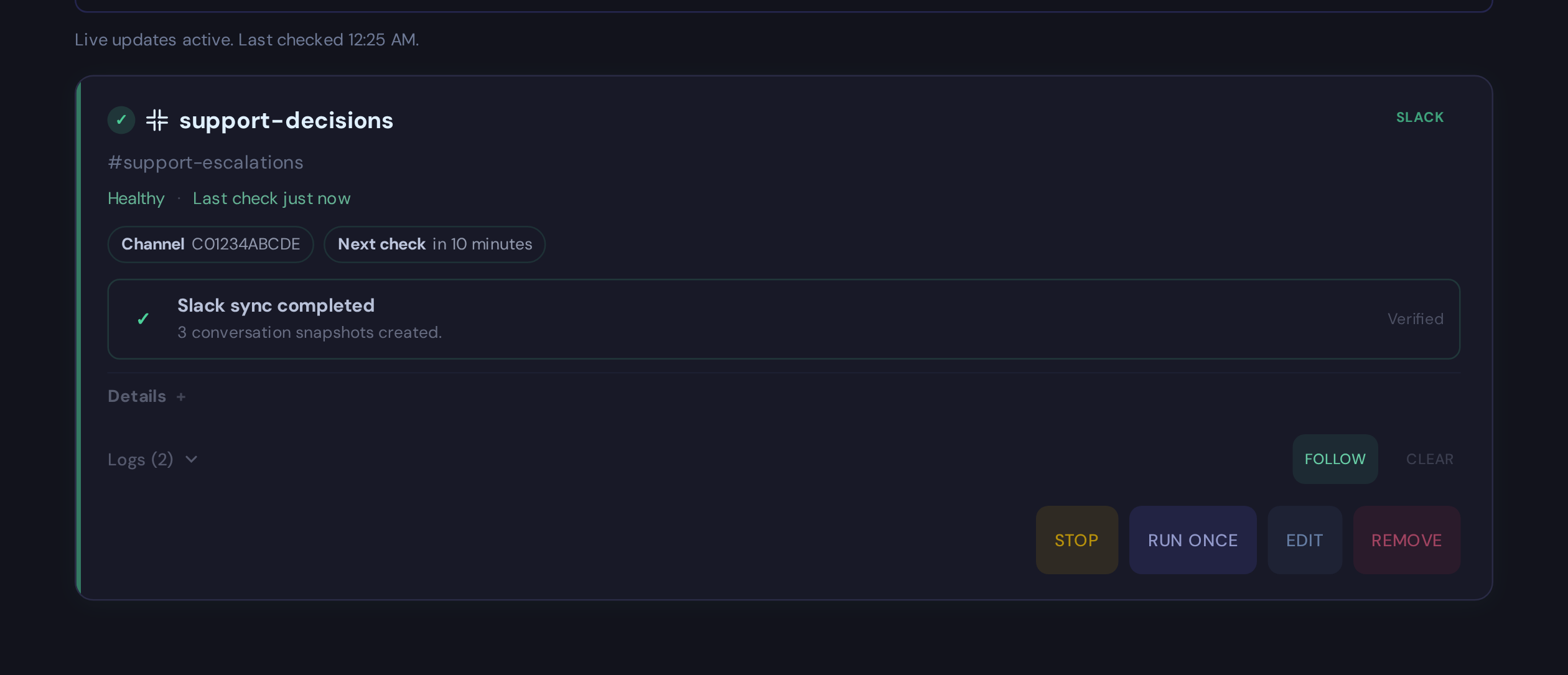
Slack watchers poll on the configured interval. The default is conservative: 300 seconds. Initial sync is bounded by lookback days and maximum conversations. Thread size is bounded separately.
Slack rate limits can be strict. If Slack returns a rate limit, Synth records the method and retry window, preserves pending work, and does not advance checkpoints as if sync succeeded. Increase the polling interval or reduce initial/thread limits if rate limits persist.
Privacy Settings
Slack watcher privacy controls affect rendered snapshots and preview samples:
| Setting | Effect |
|---|---|
| Display name | Shows Slack display names when available. |
| User ID | Shows Slack user IDs instead of names. |
| Hidden | Uses participant labels instead of user names. |
| Redact emails | Replaces email-like text before snapshots and fingerprints are written. |
Use hidden participants or user IDs for channels with sensitive membership or customer details.
Removed Messages And Retention
The default removed-message policy is keep. If a message is deleted, falls out of scope, or becomes inaccessible, Synth preserves existing historical support unless there is a high-confidence removal event and an explicit policy to retire or tombstone it.
Access loss, missing scope, bot removal from a channel, archived channels, rate limits, and bounded-history gaps do not prove that a conversation was deleted. Synth marks those conditions conservatively and keeps support rather than deleting knowledge.
File Rules
Keep watcher scope narrow. A good watcher syncs the docs that explain the project, not every file in a repository.
files:
  rules:
    - name: docs
      include:
        - "README*"
        - "docs/**/*.{md,mdx,txt,yml,yaml,tf,tfvars}"
        - "docs/**/*.tf.json"
      exclude:
        - "docs/**/archive/**"
A file syncs when it matches an include pattern and does not match an exclude pattern. Preview shows which rule included or excluded each file.
What Happens On Changes
Git watchers treat the watched branch as the source of truth:
| Source change | Synth behavior |
|---|---|
| File added | Ingests the new file and updates canonical Project retrieval. |
| File changed | Re-ingests that file and refreshes affected pages. |
| File deleted | Removes that file's live support from project memory. |
| No change | Does not run extraction or rewrite pages. |
Pages can be supported by more than one source file. If one source is deleted but another still supports the page, Synth keeps the page and refreshes it from the remaining live source.
Each successful watcher ingest is also written to the project's
knowledge/log.md operation log with created, updated, and deleted page counts.
Delete reconciliation is written as a RECONCILE entry, so source removals are
visible even when there are no new files to ingest.
Watcher synchronization health
Watcher cards and operational watcher APIs expose synchronization and reconciliation health for operators. This operational state is not included in public search, page-read, status, MCP, CLI, or SDK knowledge responses.
Automation
Most users should create watchers in the UI first, then automate the setup once the file rules are proven.
Use the REST API reference for watcher curl examples. Use CaSc when a watcher should exist on first install.
CaSc Example
Use CaSc when a watcher should exist on first install:
watchers:
  docs:
    type: git
    repo: https://github.com/your-org/product-docs
    branch: main
    interval: 3600
    files:
      rules:
        - name: docs
          include:
            - "README*"
            - "docs/**/*.{md,mdx,txt,yml,yaml,tf,tfvars}"
            - "docs/**/*.tf.json"
    auto_start: false
    credential: github-read-token
For a staged rollout, keep auto_start: false until credentials and file rules
are verified. Otherwise omit it and use the Git default (true).
GitLab group watchers have a short common-case form:
watchers:
  platform:
    type: git
    group: https://gitlab.com/acme/platform
    credential: gitlab-read-token
Synth infers GitLab from the URL. Omitted Git group settings use the production defaults: auto-start enabled, five-minute collection polling, subgroups included, shared and archived projects excluded, common knowledge-file formats, 2 GiB per managed repository, 10 GiB per watcher, and bounded catalog history.
Source Types
| Type | Status | Best for |
|---|---|---|
| Git | Ready | Repository docs, runbooks, ADRs, source-context files, and YAML config. |
| Jira | Ready | Work intent, operational status, blockers, issue comments, and status history. |
| Slack | Ready | Team decisions, incidents, support context, operational discussion. |
| Other adapters | Deployment-specific | Confirm support and credential setup before production use. |
Troubleshooting
| Problem | What to check |
|---|---|
| No files matched | Preview the file rules and branch. |
| Private repo fails | Check the stored Git credential and repository permissions. |
| Managed clone storage limit exceeded | Compare the card's usage and limits, confirm persistent-volume headroom, then narrow scope or raise the explicit bound. The trusted checkpoint remains unchanged. |
| Git catalog is stale or incomplete | Verify provider access and rate limits, then run Full reconcile; Synth keeps the last trusted catalog. |
| Repository removals need review | Confirm the group change and approve only the exact displayed snapshot digest. |
| Too many files sync | Add narrower include rules and explicit excludes. |
| Explore shows old evidence | Run Check now, then inspect watcher logs, freshness, and search results. |
| Watcher starts on install unexpectedly | Set auto_start: false in CaSc. |
| Slack preview says missing scope | Add the required Slack scope, reinstall the app if needed, then retry preview. |
| Slack preview says bot is not in channel | Invite the bot to the channel, especially for private channels. |
| Slack channel archived | Synth preserves existing support; use a live channel for future sync. |
| Slack rate limited | Wait for the retry window, increase poll interval, or lower initial/thread limits. |
| Slack preview finds no messages | Check channel ID, lookback days, bot membership, and workspace retention. |